You must complete the EVUS registration process to validate your B1/B2 U.S. visa before entry.
Our EVUS online application has been designed to be as quick and easy as possible. Find out more about the process here.
What Is Needed to Register with EVUS?
To successfully enroll with the EVUS system, you must have:
-

10-year B1/B2 U.S. visa*
-

People’s Republic of China passport
-

Valid email address
-

Credit or debit card
Once you have all of the above prepared you can start the EVUS application process.
*If you still do not have a B1/B2 visa, you’ll need to obtain this first. You can apply directly with USA Visa Update.
Apply for a B1/B2 visaEVUS Form: Step-by-Step Guide
Following the steps explained below to complete your EVUS enrollment with ease.
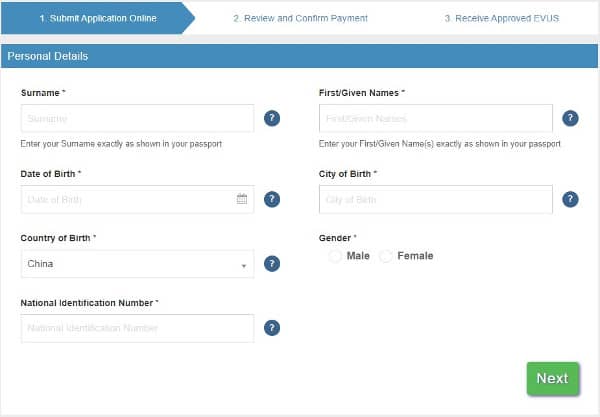
Step 1: Basic information
Applicants must first provide their basic information on the EVUS form.
This covers personal details as well as national ID information, including:
- Last and first name
- Date of birth
- Gender
- Country and city of birth
- National identification number
You should provide your full name exactly as it appears on your valid passport.
The national identification number is the number of an official ID (other than the passport.) Those who do not have a national ID can write ‘unknown.’
Step 2: Travel document information
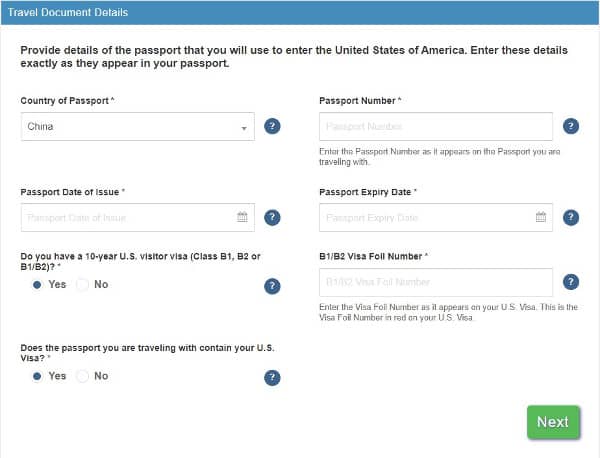
Your passport must be issued by the People’s Republic of China and must be valid for at least 6 months from the date you plan to leave the U.S.
Passport questions include:
Passport questions include:
- Country and date of issue
- Document number
- Passport expiry date
The EVUS form also requires the details of your class-B U.S. visa. The form must be completed with the B1/B2 Visa Foil Number, which is the red number appearing on the visa.
You must already have a valid B1/B2 visa to register the details with EVUS.
Step 3: Other nationalities and passports
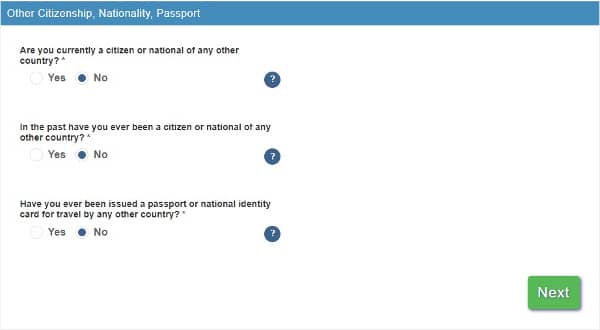
If you have dual nationality, you must travel with your Chinese passport. This must also be used as the main document in the form.
If you hold another nationality or passport, provide the number and expiration year. You can simply write ‘unknown’ for the number and ‘0000’ for the year.
Step 4: Contact details
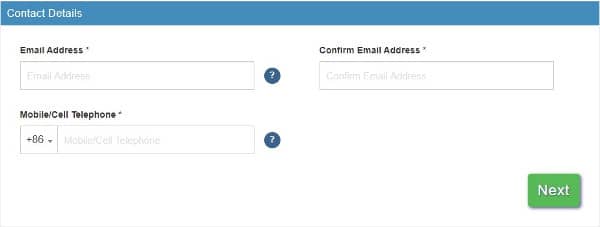
It is essential to have an active email address. This is where future communication regarding the application will be sent.
A mobile telephone number is also required. Those without a mobile phone can provide a third-party number. You can then provide your home address.
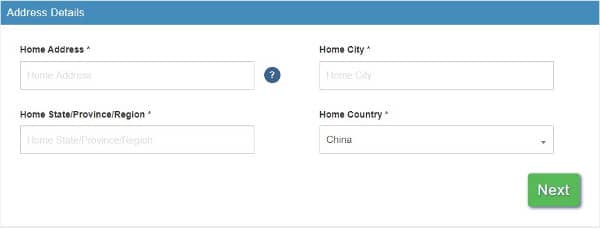
Although the EVUS form asks for the details of the applicant’s parents, these fields are optional.
Step 5: Employment history
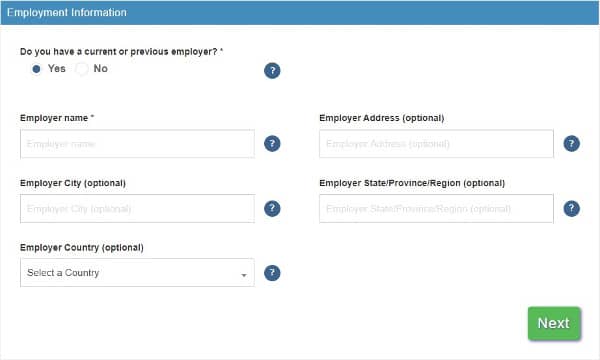
You’ll be asked to provide the details of your employment history and employers. It’s also possible to fill these fields with ‘student’, ‘stay-at-home parent’, ‘self-employed’, and more.
Step 6: Travel plans
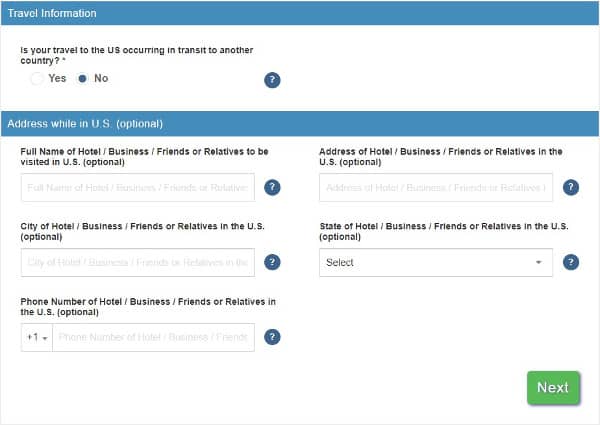
First, you’ll be asked if you plan to pass through the U.S. while en route to a different destination. Please note that the EVUS enrollment is mandatory for transit too.
If the U.S. is your final destination, you'll be asked for your phone and address details while in the country. This information is optional. You will also have the opportunity to provide the details of an emergency contact.
Step 7: Eligibility questions
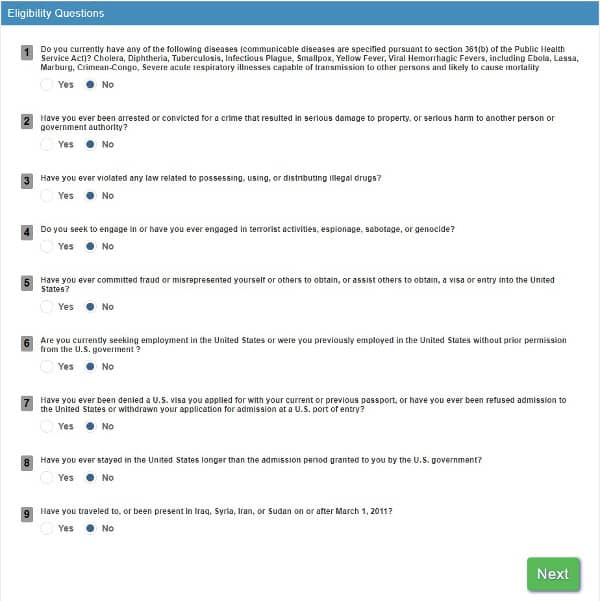
You’ll be assessed to confirm that you do not pose a threat to the safety and health of U.S. citizens and fellow travelers.
This part of the form is mandatory and includes questions regarding:
- Health
- Any criminal records
- Travel and visa history
After confirming that all the information provided in the questionnaire is true to the best of your knowledge and accepting the terms and conditions, you can proceed to finalize the EVUS.
Optional social media question on the EVUS application
This extra question asks Chinese nationals for their social media accounts before entering the United States. U.S. Customs and Border Protection agents can use this information to further vet a traveler.
The questions about social media in the EVUS application are voluntary. EVUS applicants that do not wish to answer these questions can submit their application without any negative consequences.
Add on insurance
When completing the EVUS form, you can take advantage of our optional Insurance policy. This service is unique to our platform, and helps you protect your trip against unexpected cancellations.
Simply check the box labelled ‘Insurance’ to opt in. This covers our application fee if your trip is called off due to flight cancellations, illness, or other unforeseen circumstances. It’s valid for 120 days following payment.
Step 8: Pay the EVUS fee
From 30/09/2025, the U.S. Government charges 30 USD for registering with EVUS. We then add our processing fee for access to our streamlined services.
You can pay the EVUS fee using a credit or debit card.
When prompted, you need to enter:
- Card holder’s name
- Card number
- Expiration date
- CVV/CVC number (the three or four-digit number of the back of a debit or credit card)
Once you have entered the information, you can complete the payment by clicking the ‘Submit Payment’ button. Then the EVUS enrollment is complete.
Note that your card details are protected through encryption and are only stored for as long as necessary. The EVUS registration uses advanced technology designed by the Department of Homeland Security to protect all the information you provide.
When Should I Complete the EVUS form?
We process most EVUS registrations within just 1 day, however applicants should allow at least 2 days in case of any delays.
We recommend registering with EVUS as soon as your travel plans to the U.S. are confirmed.
If you require an EVUS urgently, you can apply using the priority service for guaranteed 1 hour processing. You select this option on the payment page.
Can the Information Be Updated After Submitting the EVUS Form?
If you’ve already submitted your EVUS application with us and you need to update or correct your information, contact us as soon as possible. Depending on the status of your application, we may be able to update your details before processing.
Can I update my approved EVUS if I get a new passport?
No. If you receive a new passport, you must submit a new EVUS enrollment using the details of the new passport and your existing 10-year B1/B2 visa.
The old EVUS registration linked to your previous passport will no longer be valid.
FAQs About the EVUS Form
Here you can find answers to common questions about the EVUS enrollment process.
Can someone else complete my EVUS enrollment?
Toggle faqs
Yes, the EVUS enrollment can be completed online by a friend, relative, travel agent, or any third party on your behalf.
It’s important to bear in mind that as the applicant, you’re responsible for the truthfulness and accuracy of your application.
I made a mistake with my EVUS registration, can I fix it?
Toggle faqs
It’s essential you make sure you double-check the accuracy of all of your information on the EVUS form.
If you realize you made a mistake after submitting an EVUS enrollment, please contact us directly to assist you.
What happens if my EVUS application is denied?
Toggle faqs
An EVUS application will be denied if you do not comply with the EVUS requirements.
Before submitting your application, make sure that you meet all the EVUS requirements established by the United States Government.
Do I need to print my EVUS confirmation?
Toggle faqs
It is not usually mandatory to carry a printed copy, as your EVUS status is stored electronically and checked by airlines and U.S. authorities.
Still, we recommend printing or saving a copy of the confirmation email in case you are asked for proof.